
TL;DR
If your Magento 2 storefront uses the PWA Studio UPWARD connector, you can enable Prerender.io directly from the Magento admin under Stores > Configuration > General > Web > UPWARD PWA Configuration. Set the Prerender URL, paste in your Prerender.io token, add the crawler User Agents and Blocked List, and save. Most stores complete the setup in under 15 minutes.
📝 Note: This guide uses Magento 2's built-in UPWARD PWA configuration, which has native Prerender.io support. You do not need to install any additional integration package.
Video guide
The Crawler User Agents list and the Blocked List you will need are included in the text guide below the video.
Prerender.io tokenThe location of the Prerender.io token has changed. You can find it under the Security and Access menu under Prerender Token.
Text guide
Step 1: confirm the Magento 2 UPWARD connector is installed.
This guide assumes your Magento 2 storefront uses the official Magento 2 UPWARD connector module, which is what exposes the UPWARD PWA Configuration menu used in the steps below. If you do not see this menu later, install the connector first or follow a different Prerender.io integration path for your stack.
Step 2: open your Magento 2 admin dashboard.
Sign in to your Magento 2 admin account. You will need permissions to edit store configuration.
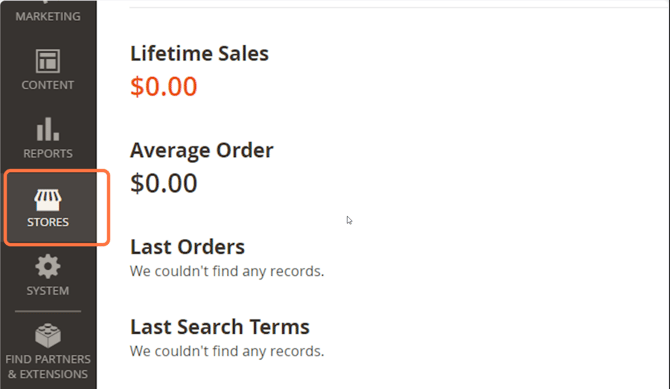
Step 3: open the Stores menu.
From the left navigation, click Stores.
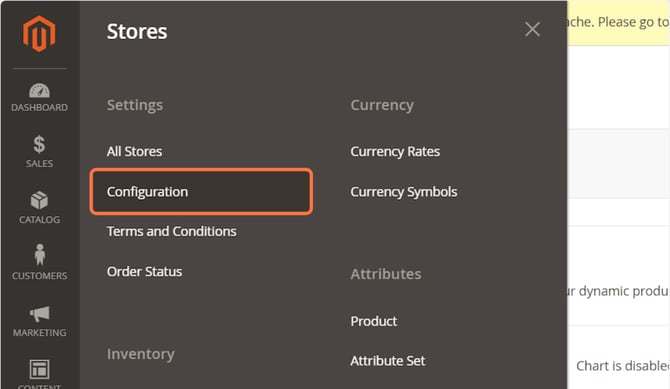
Step 4: open Configuration.
From the Stores menu, click Configuration.
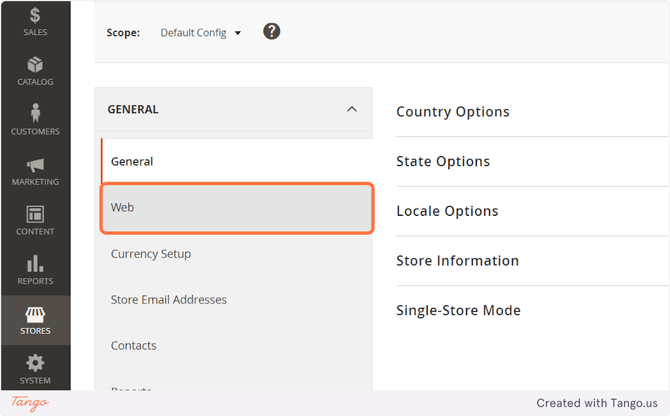
Step 5: open the Web section under General.
Under General, click Web.
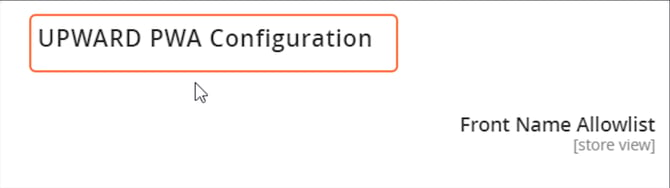
Step 6: open UPWARD PWA Configuration.
Expand the UPWARD PWA Configuration section.
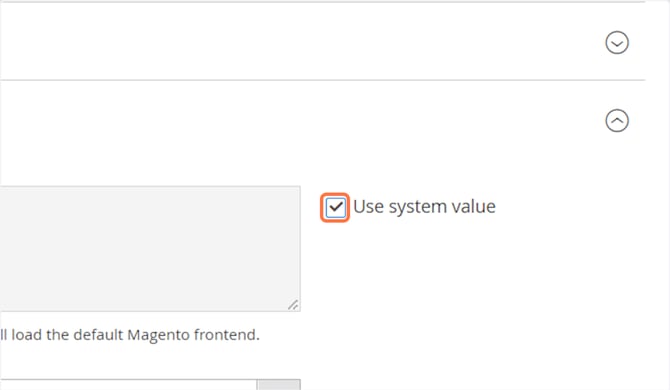
Step 7: check the Use system value box.
Make sure the Use system value checkbox is selected. This lets your changes apply at the default scope.
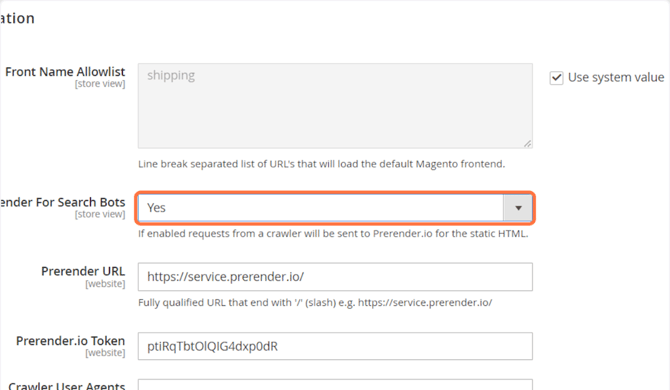
Step 8: enable Prerender for search bots.
In the Enable Prerender For Search Bots dropdown, select Yes.
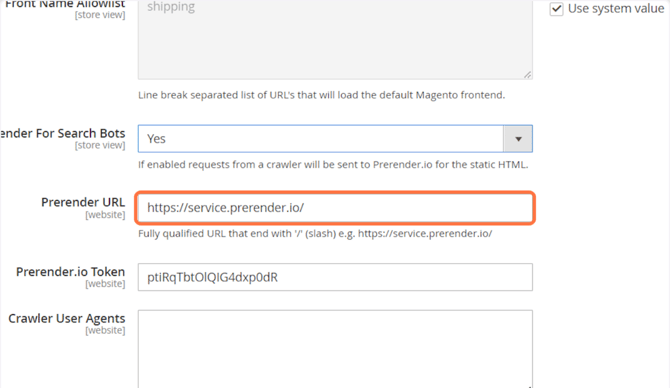
Step 9: set the Prerender URL.
In the Prerender URL field, enter https://service.prerender.io/
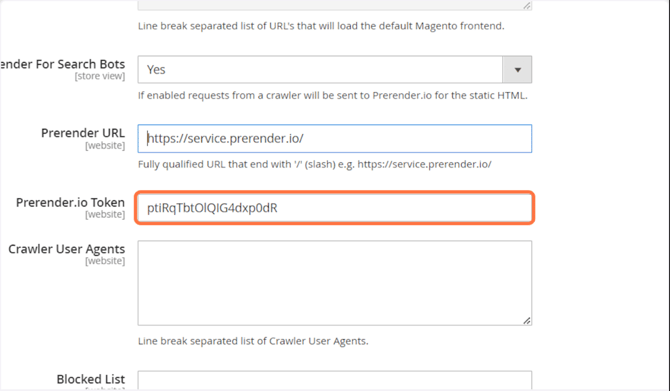
Step 10: paste in your Prerender.io token.
Copy your token from the Security and Access menu in your Prerender.io dashboard, then paste it into the Prerender Token field.
Step 11: add the Crawler User Agents.
Copy the list below and paste it into the Crawler User Agents field. This is the list of AI crawlers and search engine bots that Prerender.io will serve rendered HTML to.
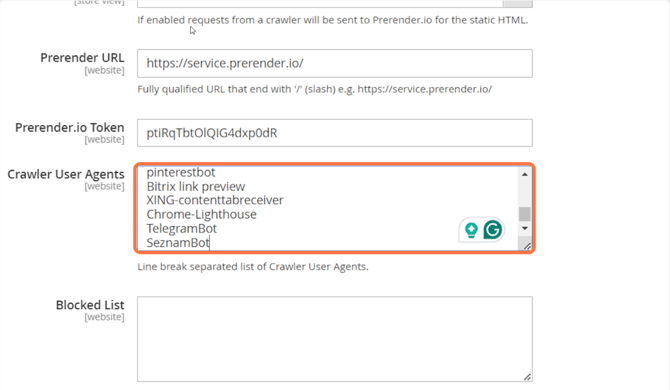
Google-InspectionToolgooglebotYahoobingbotyandexbaiduspiderfacebookexternalhittwitterbotrogerbotlinkedinbotembedlyquora link previewshowyoubotoutbrainPinterest/0.2developers.google.com/+/web/snippetslackbotvkShareW3C_ValidatorredditbotApplebottumblrbitlybotSkypeUriPreviewnuzzelDiscordbotGoogle Page SpeedQwantifypinterestbotBitrix link previewXING-contenttabreceiverChrome-LighthouseTelegramBotSeznamBotPerplexityOAI-SearchBotChatGPTGPTBotClaudeBotAmazonbot
Step 12: add the Blocked List.
Copy the list below and paste it into the Blocked List field. These file extensions are static assets, so they should not be sent to Prerender.io for rendering.
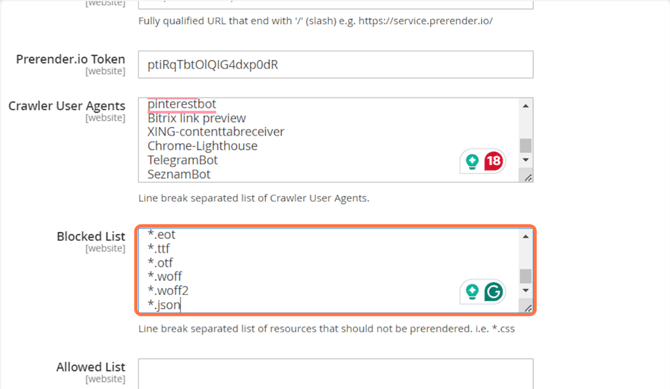
*.js*.css*.xml*.less*.png*.jpg*.jpeg*.svg*.gif*.doc*.txt*.ico*.rss*.zip*.mp3*.rar*.exe*.wmv*.doc*.avi*.ppt*.mpg*.mpeg*.tif*.wav*.mov*.psd*.ai*.xls*.mp4*.m4a*.swf*.dat*.dmg*.iso*.flv*.m4v*.torrent*.eot*.ttf*.otf*.woff*.woff2*.json
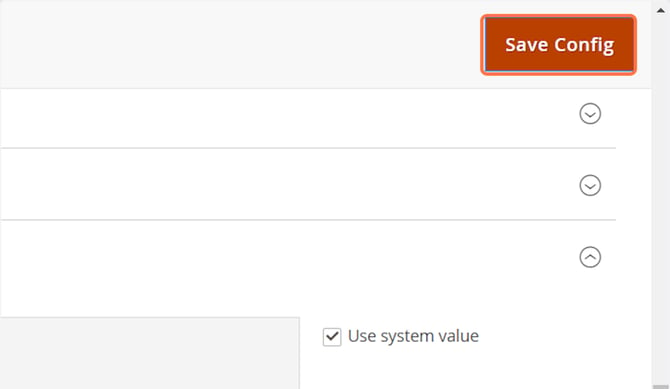
Step 13: save the configuration.
Click Save Config at the top right of the page.
Step 14: verify the integration.
It may take a few minutes for the integration to start serving cached content after you save. Once you have saved the configuration, simulate a crawler visit and check that the response includes the x-prerender-requestid header.
See Verify your integration for step-by-step instructions.
✅ Your Magento 2 integration is working when an x-prerender-requestid header appears in the response after a simulated crawler visit, and new entries show up under CDN Analytics in your Prerender.io dashboard within a few minutes.
If you do not see the Prerender.io headers, the integration is not picking up the request, which is most often why a URL has not been cached.
Getting an error?
If you see the message "Prerender Integration Not Detected", see the troubleshooting guide to resolve the issue.
Get support
If you are still encountering issues after configuring Prerender.io:
- Review your configuration against this guide and the Magento 2 UPWARD connector README.
- Contact our support team:
- Email support@prerender.io
- Or click the green Support button in the top-right of your Prerender.io dashboard, then choose Contact Support
To help us resolve your issue as quickly as possible, please include:
- The error message you are seeing.
- The troubleshooting steps you have already tried.
- Screenshots or screen recordings, if applicable.
Sharing these details up front helps our team diagnose the problem more efficiently and get you back on track faster.
Related articles
- Available integrations
- How to add multiple domains
- How to integrate Prerender.io with Cloudflare
- How to add additional bots
- How to check cached versions of your URLs
- Why am I seeing 403 or 404 errors after integrating Prerender.io?