
TL;DR
Prerender.io has a dedicated status page where you can check real-time service health, view upcoming maintenance events, and browse past incidents. Subscribe to updates via RSS, Atom, JSON feed, or the Status API to get notified whenever something changes.
What the Prerender.io status page monitors
The Prerender.io status page shows real-time health for all core services:
Prerender Service
- Service
Recaching Service
- Recache
- Sitemap
Website & API
- Website
- Authentication
- API
- Dashboard
- Dashboard API
- Knowledge Base
- REST API (API v3)
- Website
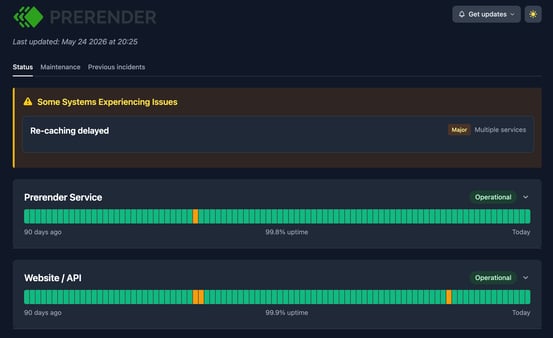
ℹ️ If you notice unexpected behavior with your integration, check the status page first to rule out a service-side issue before troubleshooting your setup.
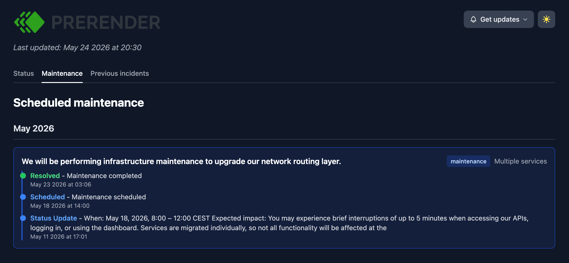
Scheduled maintenance
Go to the Maintenance tab to see all upcoming planned activities. Reviewing this tab before a high-traffic period helps you anticipate any service interruptions in advance.
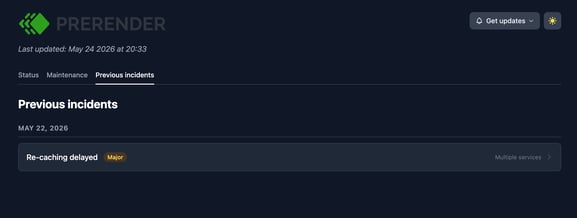
Past incidents
Go to the Previous incidents tab to review how previous disruptions were handled. Incidents are organized by month, with resolution details for each one.
Get status updates
Stay proactive by subscribing to email notifications:
Step 1: Go to the Prerender.io status page.
Open status.prerender.io in your browser.
Step 2: Subscribe to status updates.
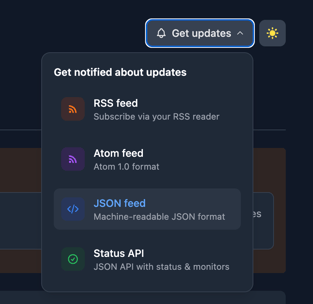
Click Get updates in the top right corner of the page. A dropdown appears with four options:
- RSS feed — subscribe via your RSS reader.
- Atom feed — subscribe in Atom 1.0 format.
- JSON feed — machine-readable JSON format.
- Status API — JSON API with status and monitors, for programmatic access.
Choose the option that fits your workflow. The RSS or Atom feed is the quickest way for individuals to stay informed. The Status API is suited for teams who want to integrate status data into their own monitoring tools.
✅ You are subscribed when your RSS reader, Atom reader, or monitoring tool begins receiving updates from the Prerender.io status page.
Related articles
- How to test your site after validating your Prerender.io integration
- Troubleshooting
- Getting started
- How Prerender.io works
💬 Still need help? If you are experiencing an issue that is not reflected on the status page, or have questions about a past incident, our support team can help. → Contact us at support@prerender.io