
TL;DR
Prerender.io marks a sitemap as Unhealthy when it cannot access the sitemap URL, finds invalid XML formatting, encounters broken or unreachable page URLs, or is blocked by a firewall. Work through the steps below to identify the cause, apply the fix, and resubmit the sitemap to restore scheduled rendering.
Why this matters
An unhealthy sitemap means Prerender.io cannot use it to drive scheduled rendering. Pages that rely on the sitemap may not be pre-rendered on time, which can affect how AI crawlers and search engines index your content.
The good news: the cause is almost always one of four things, and each has a clear fix.
Common causes
The sitemap URL is incorrect or inaccessible
Prerender.io's crawler must be able to reach the sitemap URL directly. If the URL is misspelled, requires authentication, or returns a redirect loop, the crawler marks the sitemap as Unhealthy immediately.
Prerender.io's crawler is blocked
Your CDN, firewall, or server may be blocking Prerender.io's IP addresses or user agents before the crawler can even fetch the sitemap.
⚠️ If you use Cloudflare or another CDN, check that your firewall rules are not blocking Prerender.io's crawlers at the network level. See Prerender.io IP addresses and Prerender.io user agents for the full allowlist.
The sitemap XML is invalid
Prerender.io's crawler follows the standard sitemap protocol. Common XML issues include:
- Missing
<loc>tags - Badly nested elements
- Unsupported file formats (only
.xmlis supported)
A single malformed element can cause the entire sitemap to fail.
The sitemap contains broken or unreachable URLs
If URLs inside the sitemap return error status codes such as 404 or 500, Prerender.io may mark the sitemap as partially or fully Unhealthy. Every URL must return a 200 OK response for the crawler to proceed.
How to fix an Unhealthy sitemap
Work through these steps in order. Most issues are resolved by step 4.
Step 1: verify the sitemap URL is publicly accessible.
Open the sitemap URL in your browser. Confirm it loads without errors, authentication prompts, or redirect loops. If it requires a login to access, Prerender.io's crawler cannot reach it.
Step 2: check that all URLs inside the sitemap return a 200 status.
Test a sample of URLs from the sitemap using curl or your browser's developer tools. Each URL must return a 200 OK status code. URLs returning 301, 404, or 500 may cause the sitemap to be flagged. Remove or correct any broken URLs before resubmitting.
Step 3: validate the XML structure.
Use the official sitemap protocol or a third-party validator to check for formatting issues. Fix any missing <loc> tags, bad nesting, or unsupported elements. Re-validate after making changes to confirm the file is well-formed.
Step 4: whitelist Prerender.io's IP addresses and user agents.
Confirm nothing is blocking Prerender.io at the network or firewall level:
- 👉 How do I allowlist Prerender.io's IP addresses?
- 👉 What user-agent strings and IP addresses does Prerender.io use?
Add these to your CDN or firewall allowlist if they are not already included.
Step 5: resubmit the sitemap and verify the status.
After making your corrections, resubmit the sitemap in your Prerender.io dashboard. The status should update within a few minutes.
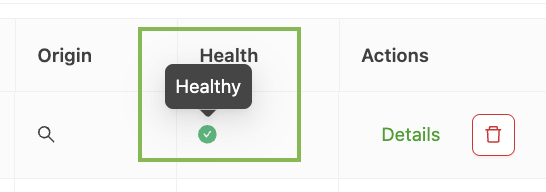
✅ Your sitemap is healthy when the dashboard shows an Active or Healthy status and pages begin appearing in your render queue.
ℹ️ If the sitemap is still Unhealthy after completing all five steps, contact support (details below) with the sitemap URL and a description of what you have already tried.
Best practices for healthy sitemaps
- Keep your sitemap free of broken links and outdated URLs.
- Limit each sitemap file to 50,000 URLs. For larger sites, use a sitemap index file that references multiple sitemaps.
- Use Prerender.io's sitemap crawler to schedule automatic re-rendering
Related articles
- How do I use Prerender.io's sitemap crawler?
- How do I allowlist Prerender.io's IP addresses?
- What user-agent strings and IP addresses does Prerender.io use?
💬 Still need help? If your sitemap is still marked Unhealthy after following these steps, our support team can help you diagnose firewall rules, XML errors, and rendering configuration. → Contact us at support@prerender.io