
The Audit Log is a record of the changes your team makes in your Prerender.io account. It covers the last 12 months and is available on Growth plans and up.
What the Audit Log is forWhen more than one person manages a Prerender.io account, settings change over time, and it is not always obvious what changed. The Audit Log answers that. It gives you a history of the changes your team has made in one place.
This is useful when you are troubleshooting a setup that worked yesterday and not today, confirming that a planned change was applied, or reviewing recent account activity.
What it recordsThe Audit Log lists changes made by your team to your account. You can scan the history shown in the dashboard, which covers the last 12 months.
Where to find it
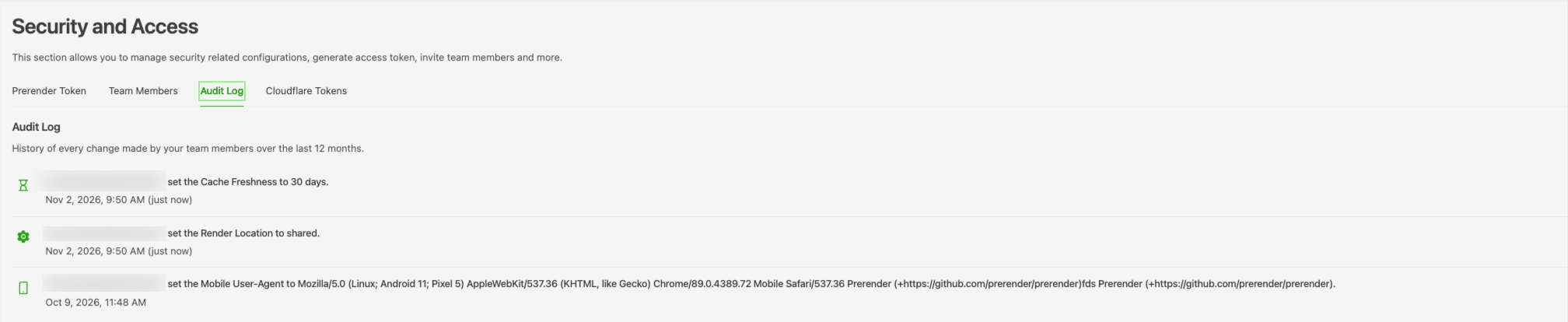
In your Prerender.io dashboard, look for the Audit Log tab. It is available on Growth plans and up. If you do not see it, check that your plan is Growth or higher, and contact support@prerender.io if you still cannot find it.
How far back it goesThe Audit Log covers the last 12 months, in line with the Prerender.io data retention policy, and the tab description states the same window. Automatic deletion of entries older than 12 months is planned but not yet live.
ℹ️ If you need a record of a change beyond the 12-month window, save a screenshot or copy of it from the Audit Log tab while it is still shown. For how long Prerender.io keeps your other data, see How long Prerender.io keeps your data?.
Related articles💬 Still need help? If you have questions about a change in your Audit Log or who can access it, our support team can help. → Contact us at support@prerender.io
- How long Prerender.io keeps your data? — retention periods for your analytics, Audit Log, cached pages, and account data.
- How Prerender.io handles your data and privacy — what Prerender.io receives, stores, and encrypts.